Three Zapier builds, from AI content to lead routing.
Zapier is the right call when the stack is already scattered across single-purpose apps — Google Drive, Asana, Gmail, Slack — and the job is stitching them together fast. Below are three working builds: an AI content-repurposing pipeline, a full lead lifecycle wired to Asana, and a webhook-based lead-enrichment router.
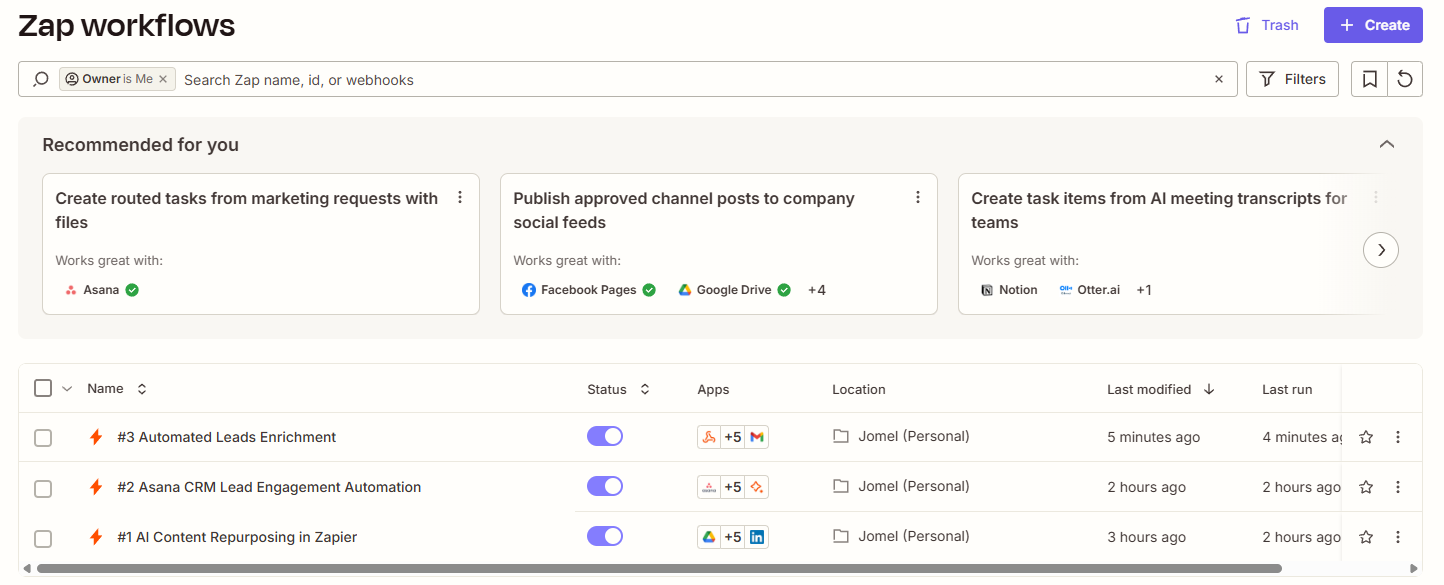
1AI Content Repurposing in Zapier
Turns one uploaded video into two written blog posts, then routes the finished content to the right social platform automatically — no manual copy-paste between a video editor and a content calendar.
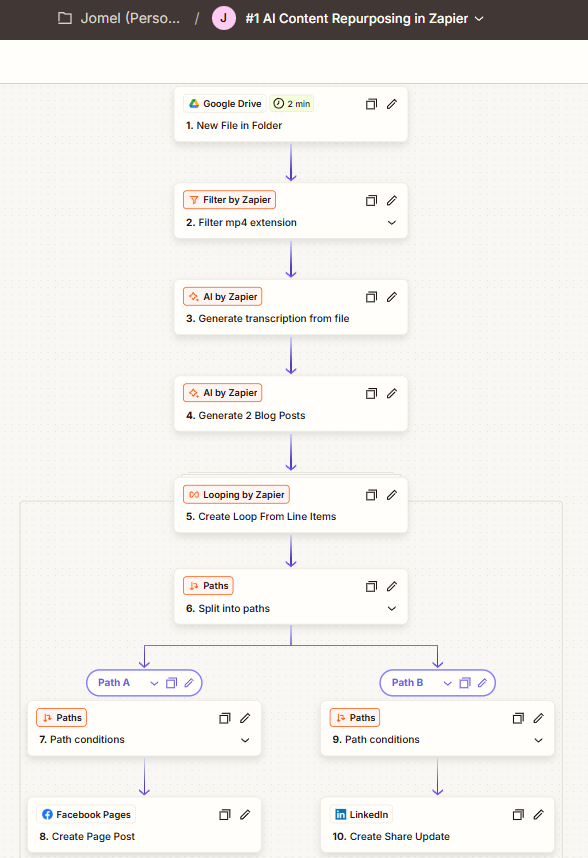
- Trigger — a new MP4 uploaded to a watched Google Drive folder.
- AI processing — generates a transcript from the video, then two blog posts from that transcript.
- Looping — separates the generated titles and content into individual items for downstream steps.
- Path A — Facebook Pages — published automatically when the blog content matches the routing condition.
- Path B — LinkedIn — published automatically when the blog title matches the routing condition.
2Asana CRM Lead Engagement Automation
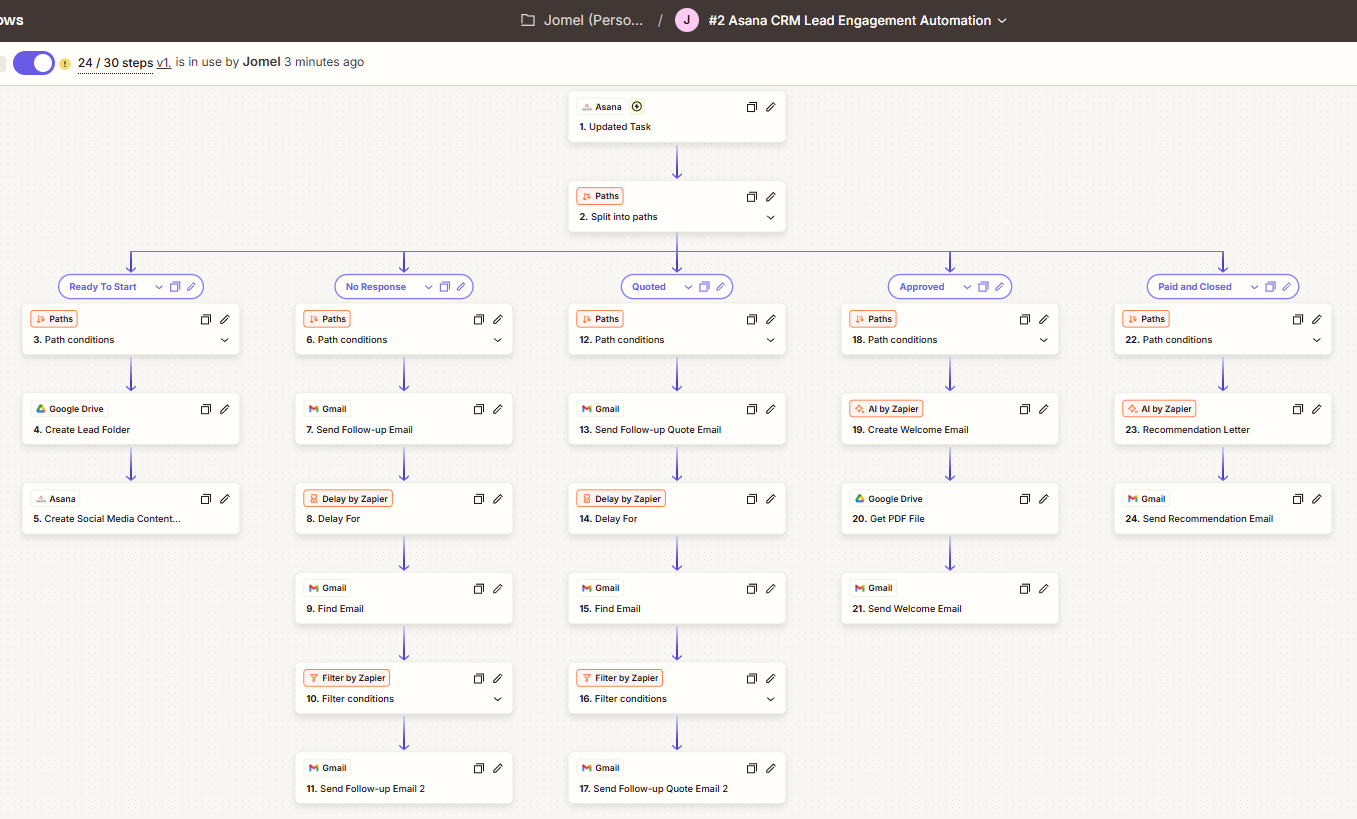
A status-driven lead journey inside Asana — every time a lead's column changes, the right action fires automatically, from folder creation to follow-up messaging to the final service recommendation.
| Asana column | Automated action |
|---|---|
| Ready to Start | Create a Google Drive folder for the lead + a Social Media Content subtask |
| No Response | Scheduled follow-up texts/emails, with escalation if still unanswered |
| Quoted | Weekly quote follow-up messages |
| Approved | Personalized welcome email with the required PDF attached |
| Paid and Closed | Service recommendation email — one of three variants based on service type |
3Automated Lead Enrichment in Zapier
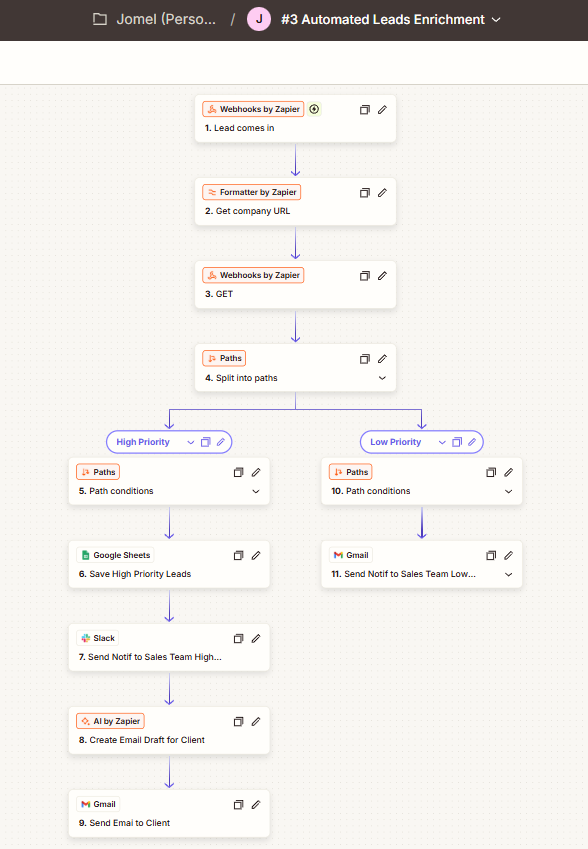
A webhook receives raw lead data, enriches it with company information, and routes it down a high- or low-priority path — high-priority leads get an AI-drafted email and an instant Slack ping to sales.
| Path | Condition | Actions |
|---|---|---|
| High priority | Lead meets high-priority criteria | Save to Google Sheets → notify sales in Slack → AI-drafted email → send via Gmail |
| Low priority | Lead falls below the threshold | Email notification to the sales team |
If your tools are already scattered across apps, Zapier connects them without a rebuild.
We map your actual stack on a free call and figure out what's worth automating first.
Book a free call →